What I have been up to….

Working

It had been a whirlwind period – Dec 2016 till Jan 2017.  I was not able to post due to lots of stuff that had taken place recently.  In the nutshell, here’s a quick overview:

  • Attended CNI (Coalition for Networked Information: CNI) conference in Washington DC in early Dec 2016.  One of the nights, me and the other hotel guests had to evacuate due to a fire. Spent more than an hour in the freezing chilly DC morning
    (4 am).
  • Flew back to Singapore to close the deal for our new home. Yes, as last, I got a house. (Alhamdulillah).
  • Down with flu for most of my vacation leave in Singapore Dec 2016 – Jan 2017.
  • 2017: Preparing for my panel session as well as paper session for SLA AGC 2017 inshaAllah
  • Completed the first phase of the electronic resources management system project, now leading the implementation phase.

Stay tuned for my upcoming posts.

The trouble with website(s) …

Head in Hands

I had a frustrating time trying to figure out what went wrong with a certain banking website.

I tried logging on using Firefox and it showed a message that the site was temporarily unavailable.  I assumed site maintenance as the error message was pretty vague.  After several unsuccessful attempts over 2 days, I decided to contact their call center.  The guy on the other line assured me that I should be able to access after 2 minutes.

So I gave it a long hour before I tried again. Still the same problem. Called the center again and this time the lady told me to switch to Internet Explorer Browser. Well, it worked BUT the minute I clicked on the button to do an online payment, the browser logged me out of the site.  **shaking head in disbelief.

Then I decided to try Chrome: Voila! It worked.  I gonne stick to Chrome for the time being.

Moral of the Story: Please be more explicit about the Error message.  You could have informed us to switch to another browser. Talk about user experience.

Dealing with unmanageable stuff

Access

How do you deal with something that is not easy to manage? By this, I mean issues related to the excessive or systematic download of the library’s subscribed electronic resources materials.

A little background to this:  Libraries sign license agreements with electronic resources publishers to ensure that users do not violate or infringe any copyright regulations.    In addition, we also have to ensure that there are no ‘crawling’ activities – our users do not deploy some form of software to download multiple documents within a very short period of time.  So, when any of these happen (excessive / systematic downloading), it will trigger an automated access block on the suspected campus IPs from the publishers.  Thus, users are not able to access that particular electronic resources.

The last few weeks have been pretty busy with a spike of such incidents.  I had to liaise with the publishers to ensure that our access is reinstated as well as assuring that we will investigate the matter thoroughly on our end.  In addition, I have to contact our counterparts – campus IT Security Team.  Once we have identified the ‘perpetrators’, my next task will involve contacting them and ensuring that they are NOT to repeat the ‘act’ again. (if they are guilty of it)

We have been very proactive in ensuring that our users are well-informed about these issues.  Some of our initiatives include:

  • Announcement on our library website
  • Email blast
  • Posters at strategic places on campus such as campus diner, congregation areas in the library
  • Library trainings
  • Electronic Billboards
  • Informal meetings / chats with our users on this issue
  • Re-visiting our license agreements and renegotiating with the electronic publishers

Hopefully, we can reduce the number of such incidents; though eradicating them would be rather tough.  Like I said before, sometimes when it rains, it pours …


KAUST Library Day 2016

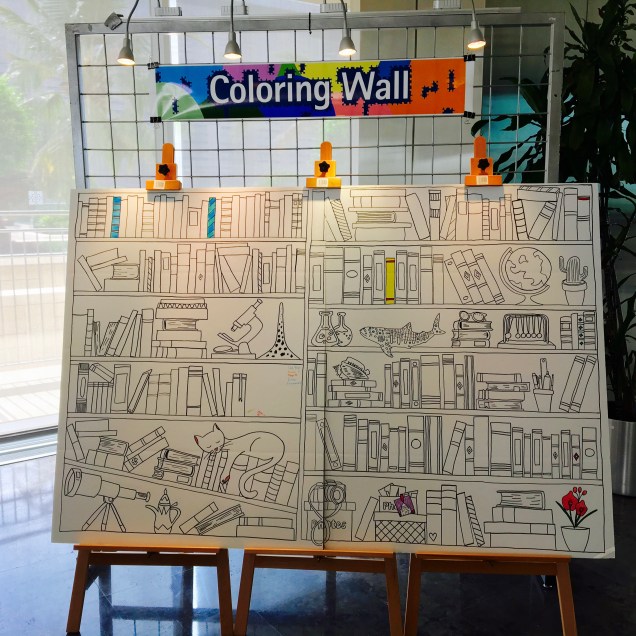
It was a day of ‘bonding’ between the library and our community. Hosted people from different Research Centers, Core Laboratories, and Academic Division.  They were asking questions about our services, facilities, and our new discovery layer.  We had raffle draws, library quizzes, “Name the Discovery Layer” (aka search service) competition, library tours and our very own “coloring wall”.  One of the main prize giveaways was the “solar-powered  Bluetooth speaker”. Oh, not forgetting the fabulous food too.

Library Posters and Facts Chart

img_5985

People that made it happened!

img_5938

The coloring wall before it was colored 🙂

Beyrouth, 2011

One of the interesting places that I have visited.  Unforgettable places, people, and historical sites.  Spent 5 days there and stayed @  Le Vendome .

Check out these places:

There are others as well.  Here are some of my travel pics:

Flight, Food, Zzzz


Cable cars, Cedar Trees, Local Food

Pre-historic stuff

Cedar forest


User Experience: “You are NOT your user”

I’ve started on our user experience interviews on the use of our new discovery service namely Summon and AZ portal.  One of the objectives is find out our users’ behavior when they search/browse our electronic resources.  Participants include:

  • Faculty members
  • Post-docs
  • Students

Being a digitally born library, our e-resources far outnumber the print collection. Therefore it is imperative for us to know how best we can align our discovery services and other added value services to meet our users’ needs.

Some Questions posed:

  • Have you used Summon / 360? If Not, why?
  • How often do you conduct your research?
  • What obstacles do you face during your research process?
  • How can we, the library, help you to make your user experience (Summon/360) better?

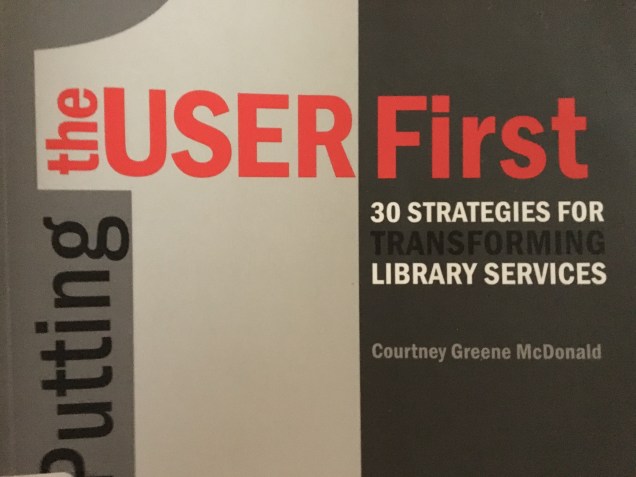
And taking a leaf from this book that I am currently reading: “You are NOT your user” – Admit it.

img_5854

Teamwork in Diversity. Is it possible?

TeamworkSource:  https://flic.kr/p/uF5bB1

I lead a team of people from different countries, cultures and faiths.  Working in such environment presents challenges as well as opportunities.  There is not a one size fits all solution to overcome these issues.

How do I get those individuals from different walks of life to come and work together to achieve a common goal despite all our differences.

Then I stumbled upon this interesting article in Forbes:

“Diversity Is Required To Make A Company Strong, But Unity Is Required To Make A Company Successful”, Amy Rees Anderson , http://www.forbes.com/sites/amyanderson/2016/10/06/diversity-is-required-to-make-a-company-strong-but-unity-is-required-to-make-a-company-successful/#79e21f87618c   (Accessed on 12 Oct 2016)

The article brought up several useful points:

3 things to create unity:

  • Tolerance
  • Learn the points of views of others
  • Appreciate differences

Coming back to the idea of teamwork, yes -it’s possible to have a successful diverse team but the main point will be Unity.  I’ve added some points to ponder:

  • Building trust
  • Keeping your word
  • Providing your support
  • Fair treatment
  • Everybody is important in the team no matter how small or big your title or job scope

Well, this list could go on and on … but to summarize, all of us have to put our differences aside at some point, check our egos, agree to disagree and keep moving forward, bearing in mind our common vision and mission within the organization. Uh one more thing, at times your patience will be tested.


the Reference aka Information Desk

The Reference / Info Desk is a focal point in any academic / public / special libraries.  It’s one of the places where you see long queues of students / faculty / visitors waiting for their turn to inquire on library collections / services / and so forth. (Though in this technology-driven era, you don’t get to see these quite often).

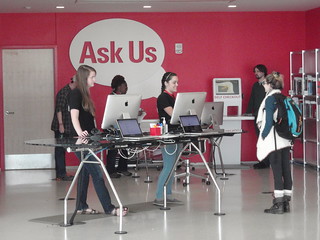
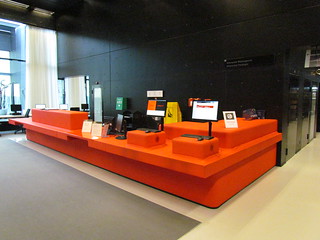
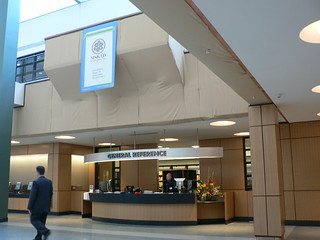
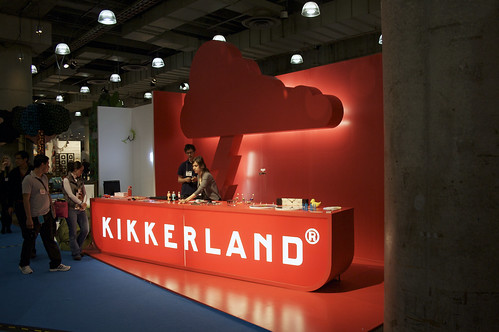
I’m not going to discuss in depth about what are the things that user(s) often ask at the desk.  It’s the design of the Reference Desk that intrigues me.  Out of curiosity, I ‘flickred’ and got some photos:

PA300414     Reference desk on the upper floors

New Shapiro reference desk     General Reference desk

For those of you that have an account with Pinterest, check out this board: Information Desks.

Untitled

Information Desk, Tokyo

Everyone has their own taste, their own preference of a Reference / Information Desk. Here’s mine:

  • Located near the entrance of the library; that’s where most traffic occurs
  • Visually appealing to the eyes (subjective; beauty in the eyes of the beholder)
  • Desk height: Not too high
  • Catchy signage – perhaps with a tagline as well
  • Electronic Tickler
  • Two-way screens so that the user is able to follow the staff explanation
  • Seats for our users
  • A detachable side table that is also adjustable

On top of that, I believe that it’s time to change the one in mine.


Open House @Little man school

Attended an Open House event today at my kid’s school.  He’s in Grade 3 now in the PYP (Primary Years Programme – IB).  Listened to his quick presentation on what he had done so far.  Interesting to hear him speak about the Human Body Digestive system,  skeletal system,   his drawings etc.

Impressed by their class rules:  “I will raise my hand to answer”  – Good rule to implement during work meetings where sometimes people shout across the room, interjecting without giving others a chance to speak, dictating the meeting proceedings etc etc.


Of Search Boxes and library websites Pt 1

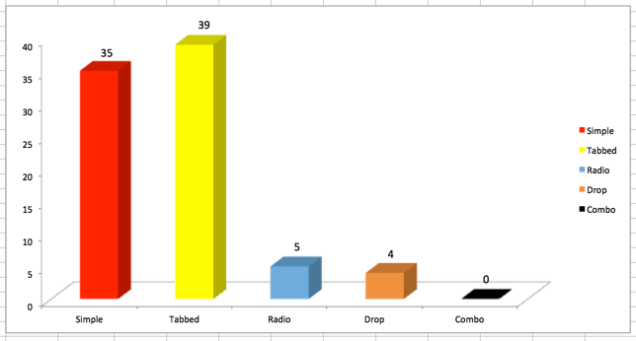
Recently, I conducted an exploratory study on library websites search boxes (5 Oct 2016).  I wanted to know the types of search boxes deployed by libraries that are using Summon as their web scale discovery layer. I googled and discovered around 83 Summon-ed libraries from Australia, Canada, Denmark, Ireland, Saudi Arabia, New Zealand, Singapore, Sweden, UAE, United Kingdom, and the United States of America.

Here are the various types of search boxes:

There are several distinctive types:

  • Simple search boxes
  • Multi-Tabbed search boxes
  • Search boxes with radio buttons
  • Search boxes with drop down features
  • Combination of multi-tabbed / radio buttons / drop down

I noted that the libraries tend to go with simple search boxes or the multi-tabbed search boxes.  Out of the 83 chosen sites, 35 (42%) deployed simple search boxes while 39 (47%) deployed multi-tabbed search boxes.
datatab

I was curious whether simple or multi-tabbed would be a better choice to deploy on a library website.  In this Google-era, most searchers would just enter their search phrases or keywords into the search boxes.  They expect to get relevant results at the top of the list.  (Bear in mind that we have a multitude of users out there: the experts, the intermediates and the novices).

Results are often determined by some of these factors (not exhaustive):

  • search terms / phrases used
  • metadata used to describe the library’s resources
  • storage medium of these resources
  • level of IT knowledge of the users
  • exposure to any form of training

Coming back to the library websites, I did some sample known item searches (for example: exact title of an electronic journal) on random library websites and noted that:

  • Most of them cataloged their electronic resources (e-books, e-journals etc) into their OPAC (classic catalog) even though there is evidence that they have an AZ Portal for electronic resources

Our library is ‘moving’ all our electronic resources from the classic catalog and tap into the AZ portal as the resource base.  We are hoping that Summon and AZ are capable to ‘talk’ to each other.  And we are implementing a feature in AZ so that these e-resources can be easily searched and located in Summon.  I’m hoping that this work. Otherwise, I may have to re-think on other alternatives.  Stay tune.